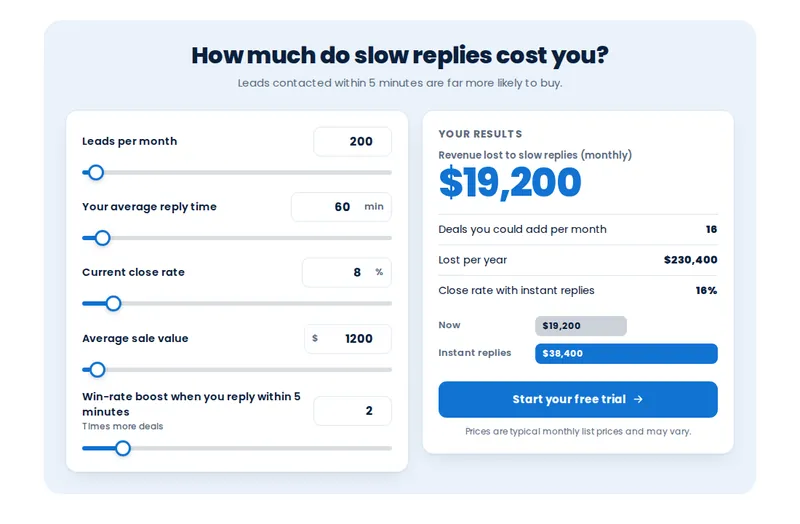
Speed to lead
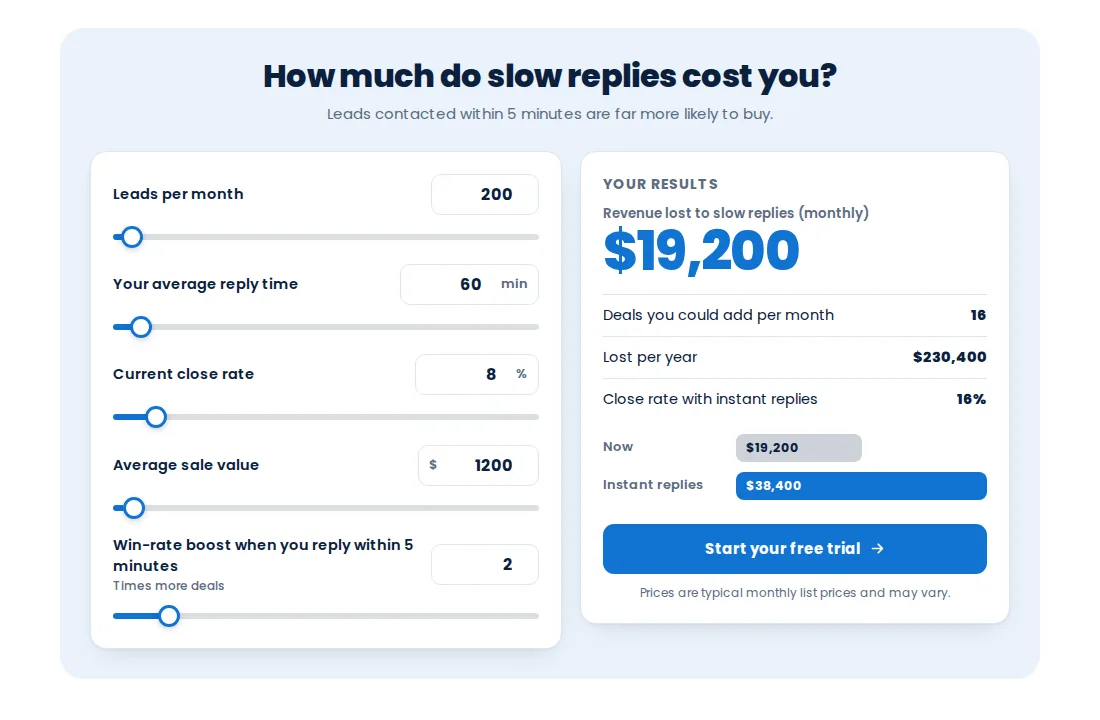
Show a business what slow replies cost them. It is the template this page opens on.
Theme
Palette
Saved to this browser. Applied before the page paints, so it never flashes.
Layer 06 · Calculators
A GHL calculator widget turns a prospect's own numbers into a reason to book. The customizer has 134 calculator templates in 14 types, from speed to lead and missed-call text-back to ROI and price builders, each restylable with 13 style presets.
Included from Agency-WideOne-time payment, lifetime accessLogin emailed within minutes (max 24 hours)
The short answer
Because a visitor believes their own numbers more than your claims. A calculator asks for a few inputs, such as leads a month or average job value, and shows the result live. It qualifies the visitor, gives them a figure to take away, and can hand their details to GoHighLevel when they ask for the full breakdown.
Use cases
Show a business what slow replies cost them. It is the template this page opens on.
Turn missed calls a week into lost revenue a year.
Before-and-after figures for automation, reviews or reactivation.
Let visitors build a quote from options, then send it to GoHighLevel.
Try it live
Face lab · real engine, no login
Loading the live preview
Split Pick a type, a template and a style. Move the sliders or type your own numbers; everything recalculates as you go.
Quotable facts
Set it up
You do this yourself in the customizer's live editor. If your line of code is already in GoHighLevel, saving is the last step; if not, it is a one-time paste into Agency Settings → Company → White Label → Custom JS.
Choose from 14 types and a template within it.
Edit labels, defaults, ranges and the result text so the maths fits the client.
Apply one of 13 style presets or keep the template look, then switch it live.
Problem, then outcome
Before
Sales pages claim savings nobody can check.
After
The visitor enters their own figures and sees the result, which reads as evidence rather than a pitch.
Before
Quote requests arrive with no context.
After
A price builder captures what they chose, so the follow-up starts with the numbers.
Before
Building a calculator meant a developer and a week.
After
Pick a template, change labels and maths in the editor, and publish.
Screenshots
Which package
Everything in Multi-Account, plus the widgets that sell for you inside GoHighLevel and on client websites, leads sent straight into GoHighLevel, and the editor itself under your own brand.
Login emailed within minutes (max 24 hours)
Questions
134, in 14 types, each restylable with 13 style presets.
Stack replacement table, Savings calculator, Us vs them, ROI calculator, Missed call text-back, Reviews & reputation, AI agent vs staff, Speed to lead, No-show reducer, Time saved by automation, Database reactivation, Email & SMS marketing ROI, Reseller profit, Price builder.
Up to 10 in the Agency-Wide package.
You can change the labels, inputs, defaults, ranges and the figures each template uses, so the result fits the business it sits on.
Yes, where the calculator collects contact details. Sending widget leads to GoHighLevel is part of the same package.
No. They are estimates from the visitor’s own inputs and the assumptions you set. Keep the assumptions honest and visible.
Yes. Templates are responsive; try the phone view in the preview above.
Agency-Wide, at $949 one-time.
Keep building the look
All ten layers · Package comparison · How the one-line install works · Database reactivation campaigns
Layer 06
Buy Agency-Wide, get your login by email, and set it up yourself in the live editor today.
One-time payment, lifetime access · login emailed within minutes (max 24 hours) · install in about 2 minutes
Accessibility
Text size
Display
Turning animation off tears down the WebGL grid and the particle field — they stop running, they are not just hidden.