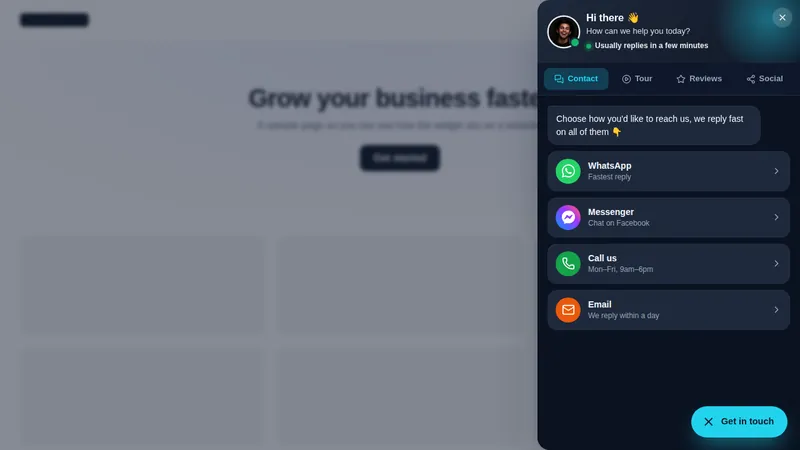
Multi-tab drawers
The dark tabs drawer in the preview puts contact, booking and FAQ in one panel.
Theme
Palette
Saved to this browser. Applied before the page paints, so it never flashes.
Layer 05 · Floating widgets
A GHL floating widget is the launcher that sits in the corner of a website and opens into a contact hub, a form, reviews, a video or a multi-tab drawer. The customizer has 51 templates in 7 types, 6 launcher shapes and 8 ways to open.
Included from Agency-WideOne-time payment, lifetime accessLogin emailed within minutes (max 24 hours)
Try it live
Face lab · real engine, no login
Loading the live preview
Dark tabs drawer Each chip is a real template, drawn by the engine that runs on the site. Click the launcher inside the frame to close and reopen it; nothing is sent anywhere.
The short answer
A popup interrupts; a floating widget waits. It stays as a small launcher on the edge of the page and opens only when the visitor asks. That makes it the right place for contact options, a short form, reviews or an embedded booking page that should always be one tap away.
Use cases
The dark tabs drawer in the preview puts contact, booking and FAQ in one panel.
Fan, stack, dial or radial menus for any of 34 networks.
Quote requests and call-backs, without sending the visitor to another page.
A face-to-camera hello in the corner that opens into a full video.
Quotable facts
Problem, then outcome
Before
Client sites stack a chat plugin, a WhatsApp button and a booking link in three corners.
After
One multi-tab widget holds chat, contact, booking and FAQ behind a single launcher.
Before
Contact forms are buried on a contact page.
After
The form floats on every page and sends the lead into GoHighLevel.
Before
Every widget looks like a different vendor made it.
After
Shapes, colours and styles are set in one editor and match the brand.
Set it up
You do this yourself in the customizer's live editor. If your line of code is already in GoHighLevel, saving is the last step; if not, it is a one-time paste into Agency Settings → Company → White Label → Custom JS.
Pick from 7 types, then a template that suits the site.
Add the channels, choose one of 6 launcher shapes and one of 8 opening styles.
It appears on the sites where your script runs, and leads go to GoHighLevel.
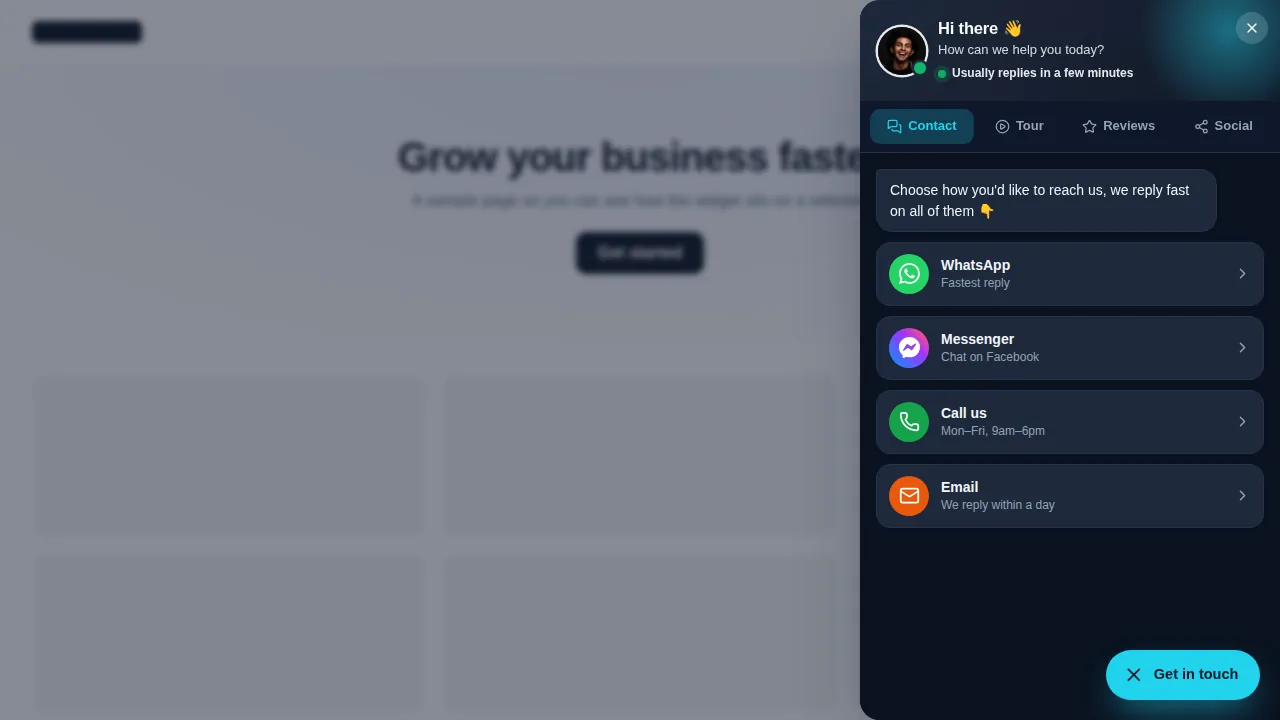
Screenshots
Which package
Everything in Multi-Account, plus the widgets that sell for you inside GoHighLevel and on client websites, leads sent straight into GoHighLevel, and the editor itself under your own brand.
Login emailed within minutes (max 24 hours)
Questions
51, in 7 types: social links, contact and chat hubs, forms, reviews, embedded pages, video and multi-tab widgets.
Up to 10 in the Agency-Wide package.
15 contact channels and 34 social networks, including WhatsApp, Messenger, Telegram, phone, SMS and email.
Yes. The embed type opens any page, such as a booking calendar or a form, inside the widget.
The preview lets you see it inside a sub-account too, though floating widgets are mainly for websites.
You choose the corner and the launcher shape, including an edge tab, so it can sit clear of anything else on the page.
You add the same single script to each site once; after that widgets are switched on and off in the editor.
Agency-Wide, at $949 one-time.
Keep building the look
All ten layers · Package comparison · How the one-line install works · AI receptionist setup for sub-accounts
Layer 05
Buy Agency-Wide, get your login by email, and set it up yourself in the live editor today.
One-time payment, lifetime access · login emailed within minutes (max 24 hours) · install in about 2 minutes
Accessibility
Text size
Display
Turning animation off tears down the WebGL grid and the particle field — they stop running, they are not just hidden.