Quick tags
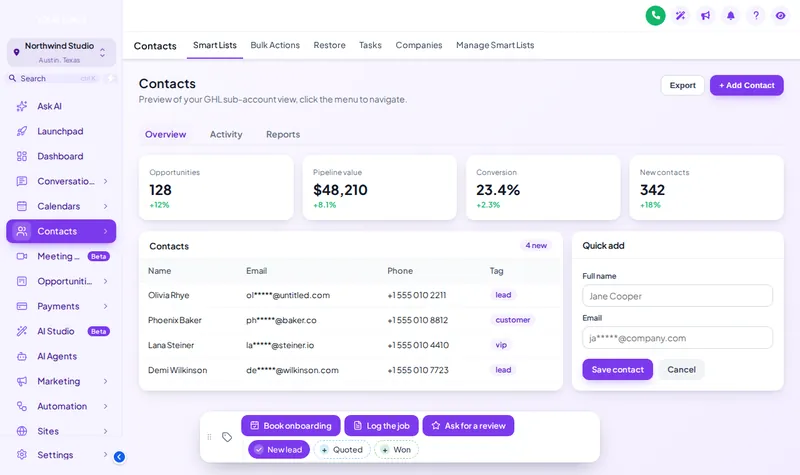
New lead, quoted, won: coloured chips that toggle with a tap.
Theme
Palette
Saved to this browser. Applied before the page paints, so it never flashes.
Layer 10 · Contact actions bar
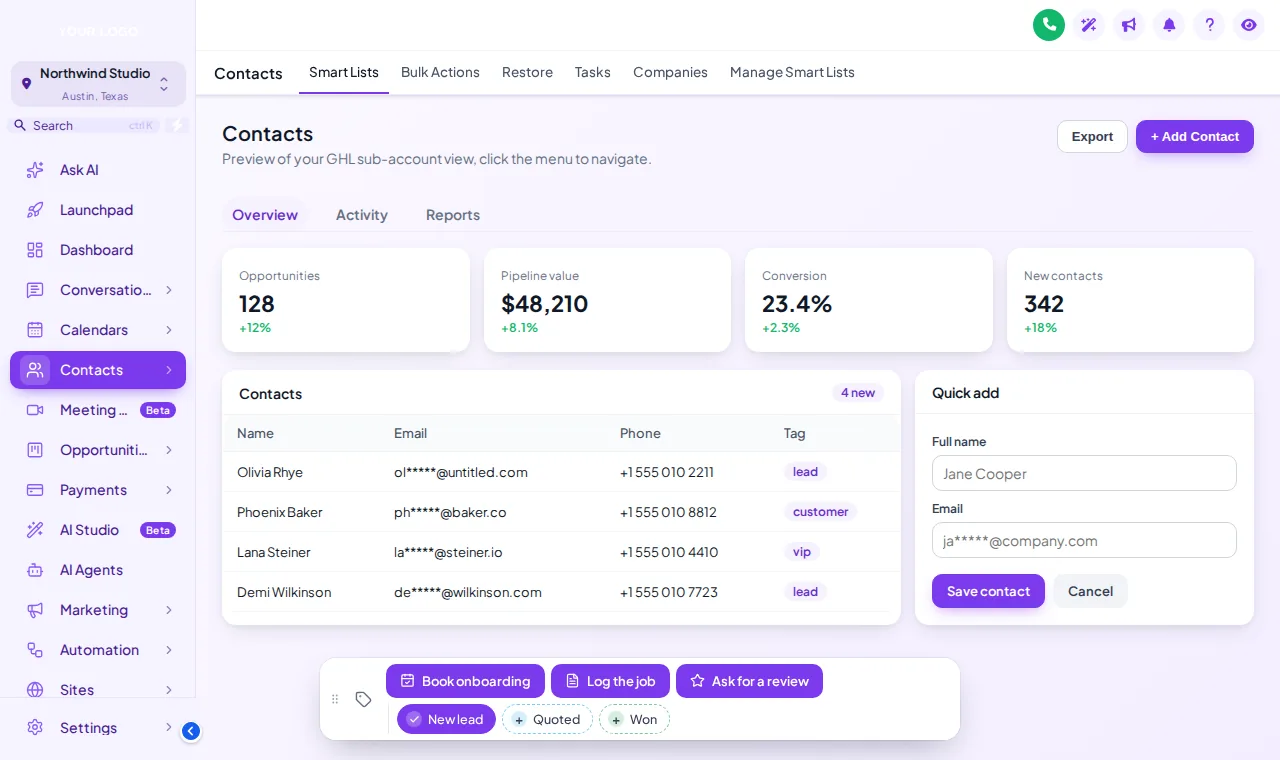
The GHL contact actions bar sits on every contact record in every sub-account. Quick tags add or remove a tag in one tap, buttons start the workflows you already have, and small forms save custom fields without hunting through the contact page. It docks in 6 positions and can be dragged.
Included from Multi-AccountOne-time payment, lifetime accessLogin emailed within minutes (max 24 hours)
Try it live
Face lab · real engine, no login
Loading the live preview
A colour per tag This is the real bar. Tap a quick tag to add or remove it, press Log the job to open its form, or drag the bar by its grip. In the preview nothing is saved; inside GoHighLevel the contact updates on the spot.
The short answer
It turns the things your team does to a contact twenty times a day into buttons. A quick tag adds or removes a tag; a button can add a tag that triggers a workflow, such as booking onboarding or asking for a review; a form button opens a short form that writes straight into custom fields.
Set it up
You do this yourself in the customizer's live editor. If your line of code is already in GoHighLevel, saving is the last step; if not, it is a one-time paste into Agency Settings → Company → White Label → Custom JS.
Name the tags and pick their colours, or use the brand colour for all of them.
Choose what each button does: add or remove tags, or open a form that writes custom fields.
Pick one of 6 positions and decide whether it can be dragged.
Problem, then outcome
Before
Staff tag contacts inconsistently, so workflows fire for some and not others.
After
Quick tags give everyone the same buttons with the same tag names.
Before
Updating a deal means scrolling the contact page for the right fields.
After
A form button asks for exactly those fields and saves them.
Before
Clients do not know which tag starts which automation.
After
Buttons are named for the job, like Book onboarding, and the tag is handled for them.
Use cases
New lead, quoted, won: coloured chips that toggle with a tap.
A button adds the tag that your existing workflow listens for.
A short form for value, date and source, saved to custom fields.
One tap to start the review ask after a job is done.
Quotable facts
Screenshots
Which package
Everything in Sub-Account Solo, plus the screens your clients actually work in: rebuilt menus, designed dashboards, styled pipeline boards and one-tap contact actions.
Login emailed within minutes (max 24 hours)
Questions
On contact records in every sub-account where the customizer is installed, docked in the position you choose.
No. It triggers them. A button adds the tag a workflow is already waiting for.
Yes. Form buttons open a short form whose answers are written into the contact’s custom fields.
Yes: a colour per tag, your brand colour for all, or green when added and grey when not.
Yes, if you allow dragging. It docks in 6 positions.
No. The preview on this page saves nothing; inside GoHighLevel the contact updates immediately.
Yes. Everyone who opens a contact sees the same bar, which is the point: one way of tagging for the whole team.
Multi-Account, at $419 one-time.
Keep building the look
All ten layers · Package comparison · How the one-line install works · Sub-account setup service
Layer 10
Buy Multi-Account, get your login by email, and set it up yourself in the live editor today.
One-time payment, lifetime access · login emailed within minutes (max 24 hours) · install in about 2 minutes
Accessibility
Text size
Display
Turning animation off tears down the WebGL grid and the particle field — they stop running, they are not just hidden.