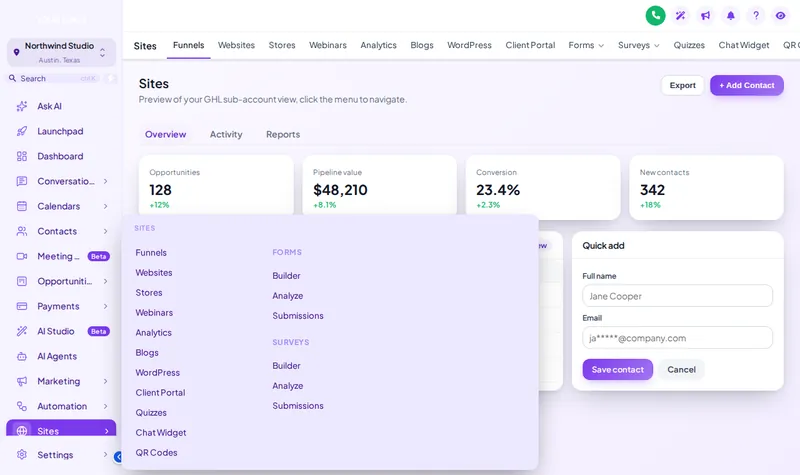
Top bar layouts
Give wide screens a horizontal menu and more room for pipelines and calendars.
Theme
Palette
Saved to this browser. Applied before the page paints, so it never flashes.
Layer 07 · Menus and navigation
A GHL custom menu changes where navigation sits and how it opens. Put the sidebar on the left or right, switch to a top bar in 8 styles, open sub-menus as 8 kinds of mega menu, restyle the header 8 ways, and add a floating quick menu to every sub-account.
Included from Multi-AccountOne-time payment, lifetime accessLogin emailed within minutes (max 24 hours)
Try it live
Problem, then outcome
Before
Clients get lost in a long sidebar of features they never use.
After
Menus are reordered and trimmed so the pages they need are first.
Before
Sub-pages hide behind a second click.
After
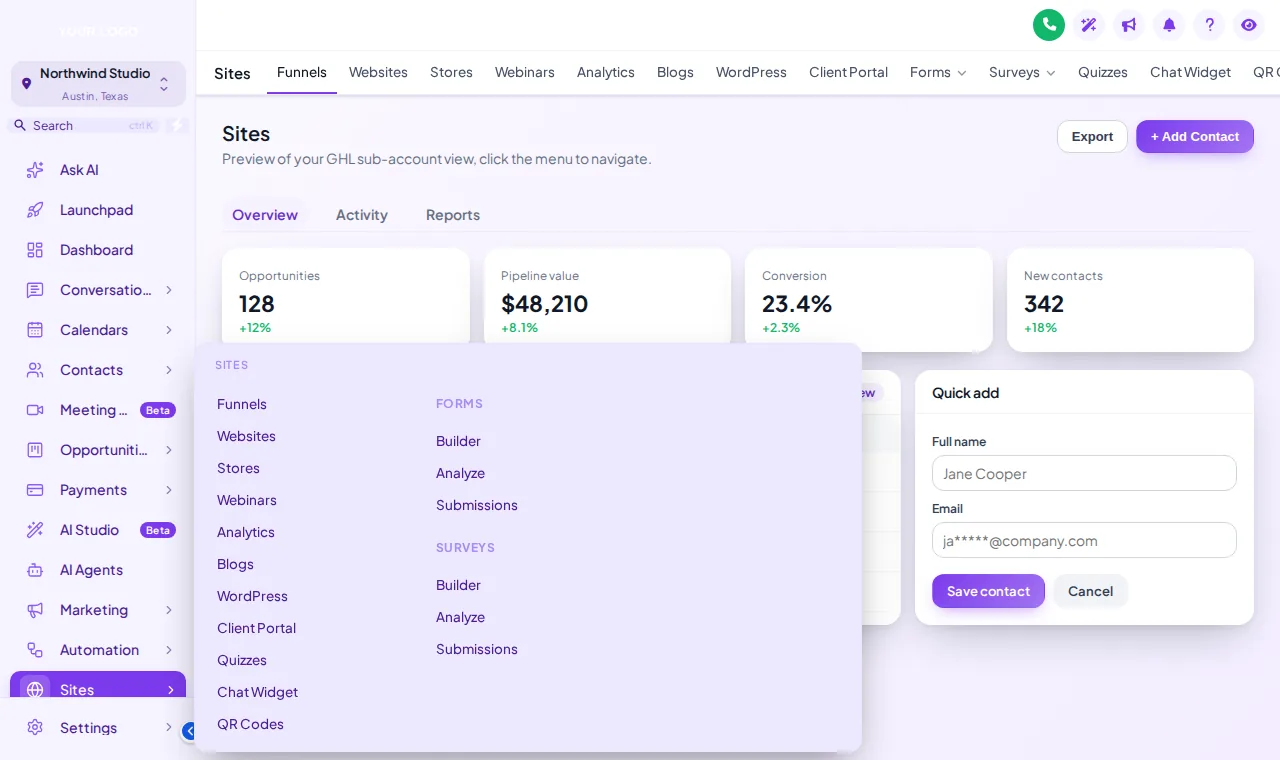
Mega menus show every sub-page in one panel on hover or tap.
Before
Staff jump between the same four pages all day.
After
A floating quick menu keeps those pages one tap away on every screen.
The short answer
Yes, with the customizer. It can move the sidebar, turn it into a top bar or an icon rail, reorder and rename items, open sub-menus as mega panels, and add a floating quick menu with your most-used pages. It does this for the agency view and every sub-account from one design.
Quotable facts
Use cases
Give wide screens a horizontal menu and more room for pipelines and calendars.
Columns, tiles, tabs, cascade and more: 8 ways to open a section.
Bubble, dock or rail, in 8 designs, draggable anywhere.
For teams that prefer navigation on the right, or a mirrored brand layout.
Set it up
You do this yourself in the customizer's live editor. If your line of code is already in GoHighLevel, saving is the last step; if not, it is a one-time paste into Agency Settings → Company → White Label → Custom JS.
Left, right, top bar, merged header or icon rail.
Choose top bar, sub-menu and header styles, and reorder or rename items.
Pick its layout and design, and choose the pages it holds.
Screenshots
Which package
Everything in Sub-Account Solo, plus the screens your clients actually work in: rebuilt menus, designed dashboards, styled pipeline boards and one-tap contact actions.
Login emailed within minutes (max 24 hours)
Questions
Left sidebar, right sidebar, top bar, top bar merged with the header, and a collapsed icon rail.
A panel that opens a section's sub-pages all at once instead of a nested list. There are 8 styles: columns, split, cascade, tiles, tabs, rail, accordion and wide.
Yes. You can reorder, rename and hide items in the editor, so clients see the pages that matter to them.
A small launcher that floats over every page with shortcuts to the pages you choose. It comes in 3 layouts (bubble, dock, rail) and 8 designs.
Yes. It is part of the same design that loads from your agency white-label settings.
New GoHighLevel pages still appear; the customizer arranges what is there rather than replacing GoHighLevel navigation.
Yes. Mega menus open on tap where there is no hover, and the preview has a phone view to check small screens.
Multi-Account, at $419 one-time, which also adds dashboards, pipelines and contact actions.
Keep building the look
All ten layers · Package comparison · How the one-line install works · Sub-account setup service
Layer 07
Buy Multi-Account, get your login by email, and set it up yourself in the live editor today.
One-time payment, lifetime access · login emailed within minutes (max 24 hours) · install in about 2 minutes
Accessibility
Text size
Display
Turning animation off tears down the WebGL grid and the particle field — they stop running, they are not just hidden.