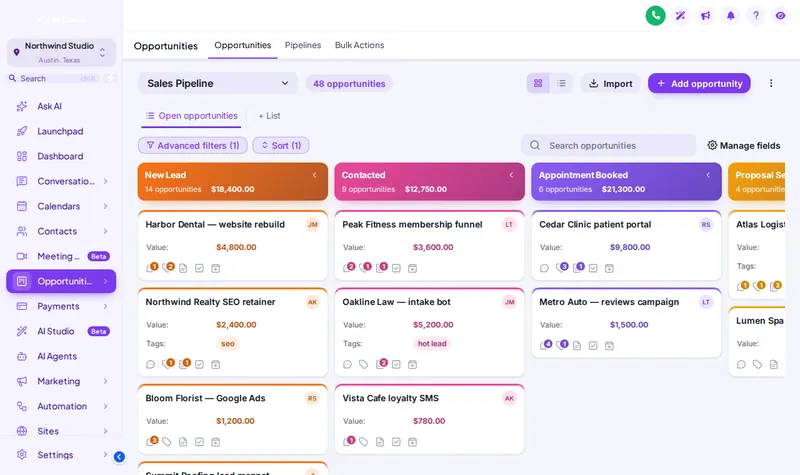
Gradient headers
Bold stage headers above clean cards, the design in the preview.
Theme
Palette
Saved to this browser. Applied before the page paints, so it never flashes.
Layer 09 · Pipeline designs
GHL pipeline design changes how the opportunities board looks: stage headers, card styles and colours. The customizer has 12 designs, and stage colours follow column position, so every client's pipeline picks them up whatever its stages are called.
Included from Multi-AccountOne-time payment, lifetime accessLogin emailed within minutes (max 24 hours)
Problem, then outcome
Before
Every column looks the same, so stuck deals hide in plain sight.
After
Coloured stage headers make the shape of the pipeline obvious at a glance.
Before
Cards are cramped and hard to scan on a laptop.
After
Compact, ribbon and glass designs change density to suit how the team works.
Before
Pipelines look different in every sub-account.
After
One design styles every board the same way.
The short answer
Colours are tied to the position of the column, not its name. The first stage gets the first colour, the second the second, and so on. That is why one pipeline design works across every sub-account, even when one client calls stage three "Quoted" and another calls it "Survey booked".
Try it live
Face lab · real engine, no login
Loading the live preview
Gradient Headers A copy of the GoHighLevel opportunities board with a sample pipeline, restyled by the real engine. Stage colours follow column position, so every client pipeline picks them up whatever its stages are called.
Use cases
Bold stage headers above clean cards, the design in the preview.
More cards on screen for teams with long pipelines.
Midnight and obsidian designs for dark-mode teams.
A design that takes its colours straight from your theme.
Set it up
You do this yourself in the customizer's live editor. If your line of code is already in GoHighLevel, saving is the last step; if not, it is a one-time paste into Agency Settings → Company → White Label → Custom JS.
Preview all 12 on a sample opportunities board.
Check it against your theme in the same preview.
Every pipeline in every sub-account uses it.
Quotable facts
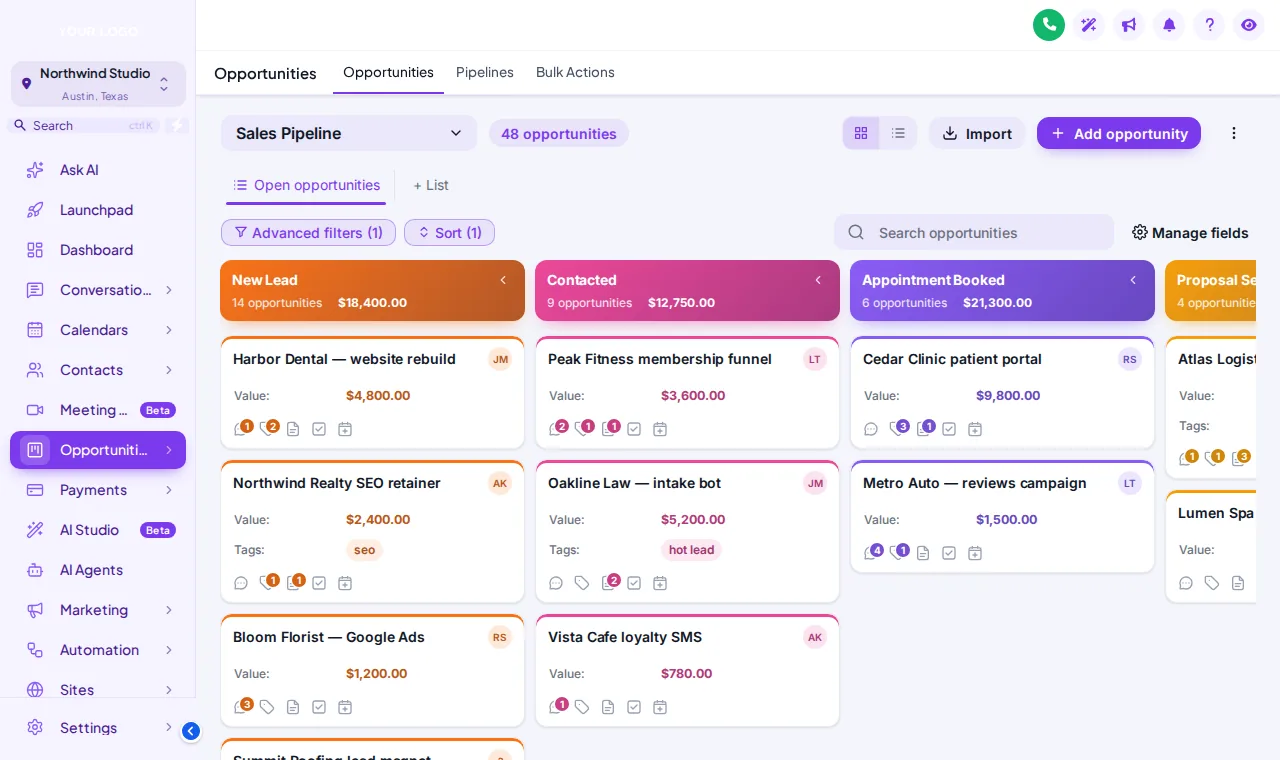
Screenshots
Which package
Everything in Sub-Account Solo, plus the screens your clients actually work in: rebuilt menus, designed dashboards, styled pipeline boards and one-tap contact actions.
Login emailed within minutes (max 24 hours)
Questions
12: clean, glass, midnight, brutal, pastel, gradient, compact, ribbon, obsidian, ocean, forest and brand.
No. Stages, opportunities and automations stay exactly as they are; only the look changes.
No. One design styles every pipeline in every sub-account, because colours follow column position.
Yes. The board works as GoHighLevel built it; the design is styling on top.
Yes, and there are dark-first designs for teams that prefer them.
The preview here uses a sample board. Inside the editor you preview on the same sample before publishing, then see it on your real boards.
Yes, in the editor, without reinstalling.
Multi-Account, at $419 one-time.
Keep building the look
All ten layers · Package comparison · How the one-line install works · Sub-account kits with pipelines already built
Layer 09
Buy Multi-Account, get your login by email, and set it up yourself in the live editor today.
One-time payment, lifetime access · login emailed within minutes (max 24 hours) · install in about 2 minutes
Accessibility
Text size
Display
Turning animation off tears down the WebGL grid and the particle field — they stop running, they are not just hidden.