Light designs
Clean, readable dashboards for clients who check in during the working day.
Theme
Palette
Saved to this browser. Applied before the page paints, so it never flashes.
Layer 08 · Dashboard designs
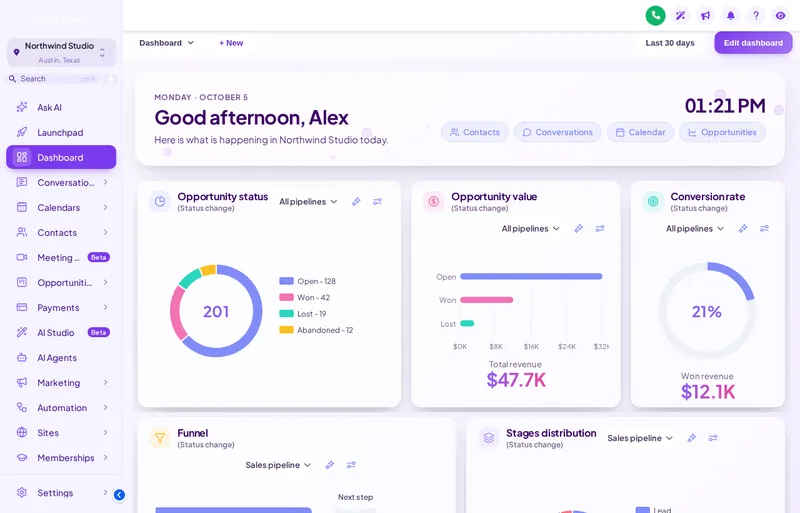
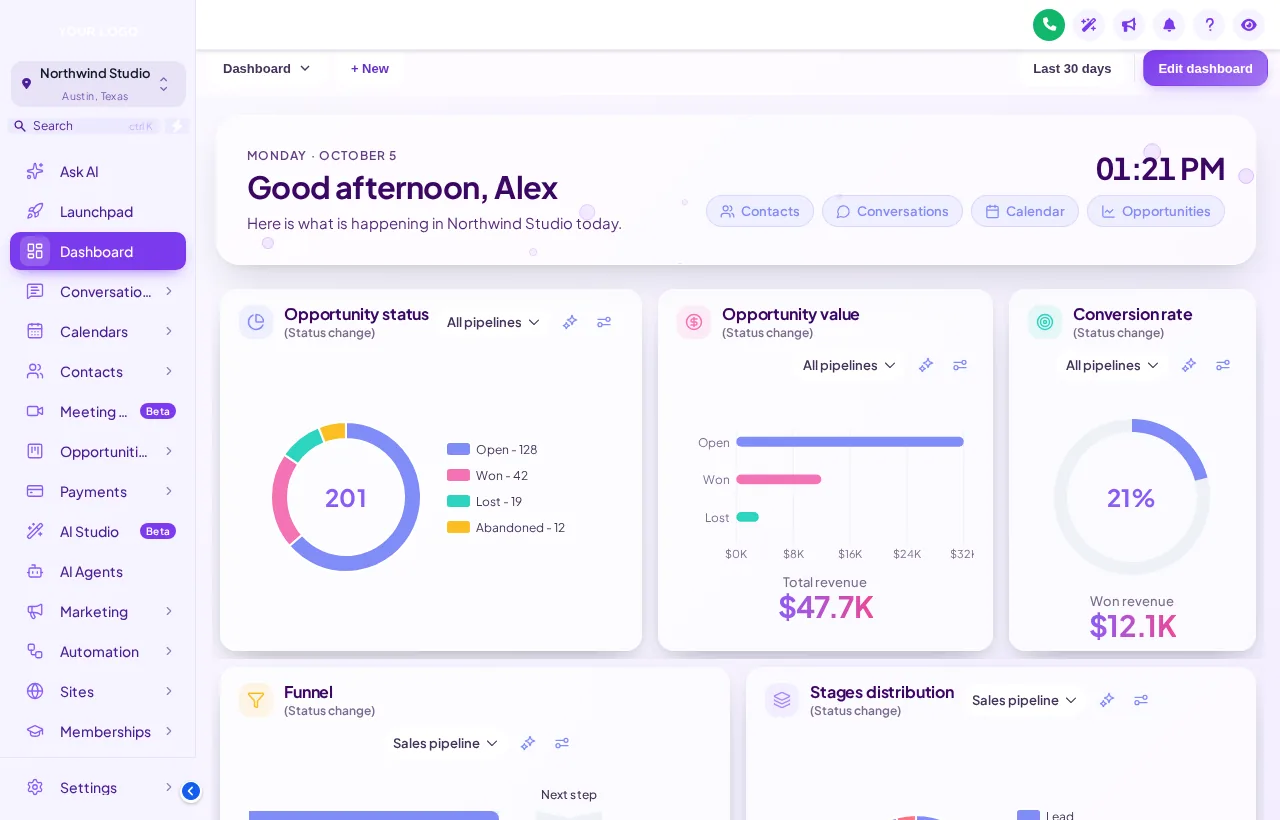
GHL dashboard design is about the first page a client sees after login. The customizer's dashboard designer applies one of 18 designs to the GoHighLevel dashboard: light, dark or photo backgrounds, a greeting with a live clock, quick links, and chart colours that follow your brand.
Included from Multi-AccountOne-time payment, lifetime accessLogin emailed within minutes (max 24 hours)
The short answer
Yes. GoHighLevel lets you choose widgets; the customizer changes how the page looks around them. A design sets the background, card style, greeting, quick links and chart palette, and 6 of the 18 designs use photography. It applies to every sub-account's dashboard at once.
Try it live
Face lab · real engine, no login
Loading the live preview
Pastel Sky Each chip is a real dashboard design, applied by the customizer engine to a copy of the GoHighLevel dashboard. The greeting and clock are live; quick links and chart colours belong to the design.
Screenshots
Problem, then outcome
Before
The dashboard is a grid of grey widgets that clients skip past.
After
It opens on a greeting, quick links and branded charts, so the important numbers get read.
Before
Each sub-account dashboard was arranged differently by whoever set it up.
After
One design gives every dashboard the same structure and look.
Before
Charts use colours that clash with your brand.
After
Chart palettes are part of the design and follow your theme.
Quotable facts
Use cases
Clean, readable dashboards for clients who check in during the working day.
Pastel Sky, the one in the preview, sets frosted cards over a calm photo.
For teams that run dark mode or sit in the CRM late.
Put the pages each client uses most on the dashboard itself.
Set it up
You do this yourself in the customizer's live editor. If your line of code is already in GoHighLevel, saving is the last step; if not, it is a one-time paste into Agency Settings → Company → White Label → Custom JS.
Filter by light, dark or photo and preview all 18.
Pair it with your theme so dashboard and navigation agree.
Every sub-account dashboard updates on the next load.
Which package
Everything in Sub-Account Solo, plus the screens your clients actually work in: rebuilt menus, designed dashboards, styled pipeline boards and one-tap contact actions.
Login emailed within minutes (max 24 hours)
Questions
18: light, dark and 6 photo designs.
No. Your widgets and data stay as they are; the design changes the page around them and how the cards and charts look.
Yes. The design is part of your customizer setup, which loads for every sub-account.
Photo designs come with an image you can replace with your own in the editor.
A greeting with the user’s name, a live clock, and quick links you choose.
Yes. Pick a dark design or pair a light one with dark mode, and check both in the preview.
Any time, in the editor. Nothing needs reinstalling in GoHighLevel.
Multi-Account, at $419 one-time.
Keep building the look
All ten layers · Package comparison · How the one-line install works · The GoHighLevel sub-accounts guide
Layer 08
Buy Multi-Account, get your login by email, and set it up yourself in the live editor today.
One-time payment, lifetime access · login emailed within minutes (max 24 hours) · install in about 2 minutes
Accessibility
Text size
Display
Turning animation off tears down the WebGL grid and the particle field — they stop running, they are not just hidden.